
Rental Car Phone Mount: Sightlines, Power, and Distraction
On this page
Quick answer
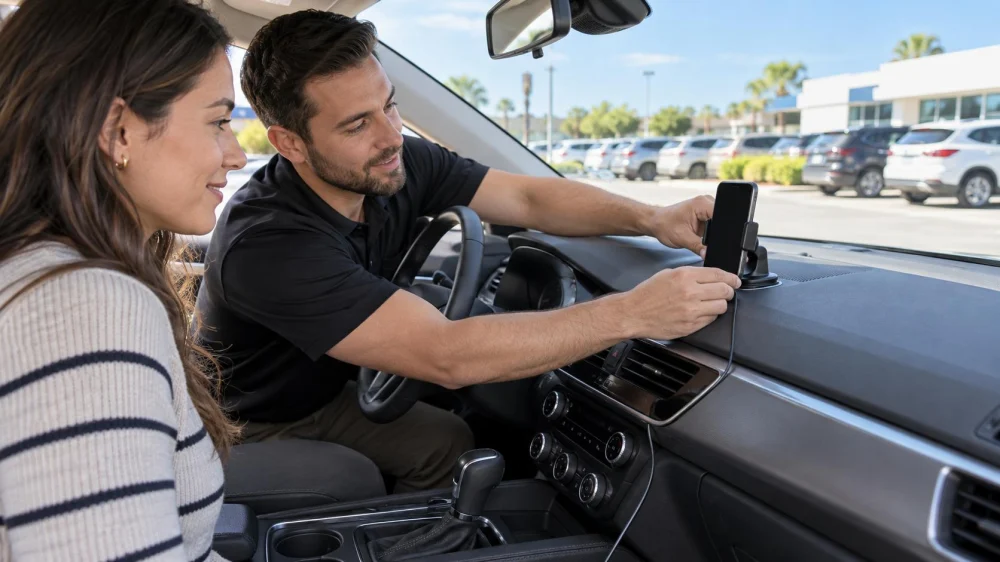
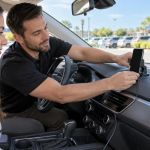
While the rental car is parked, confirm the agreement and local rules permit your phone mount, then position it where it does not block the windshield, mirrors, controls, displays, vents, or an airbag path. Set the route, audio, charging cable, and Do Not Disturb features before moving. Pull over and park before changing the setup.

Set up before the trip
Read the rental agreement and ask the provider whether suction, adhesive, vent, cup-holder, or dashboard mounts are allowed. Some surfaces, coatings, vents, and trim can be marked or damaged. Check the laws for every place you will drive because mounting and hands-free rules vary.
Park with the brake set. Adjust the seat and mirrors first, then choose a mount position. Enter the destination, download any offline map, select the preferred route, and start voice guidance before departure.
Medlife Transportation
8170 W Sahara Ave ste 104, Las Vegas, NV 89117, USA
Protect sightlines and safety systems
The phone and mount should not obscure the road, pedestrians, traffic signals, mirrors, instrument cluster, infotainment display, climate controls, or warning lights. Keep them clear of steering-wheel, dashboard, side-curtain, seat, and knee airbag deployment zones described in the vehicle manual.
Check that the mount remains stable when the phone is inserted and removed. A device that shakes, falls, reflects glare, or requires a long reach is a poor fit. Reposition it only while safely parked.
Plan power and connectivity
Locate an approved USB port or power outlet and use a sound cable that reaches without crossing the steering wheel, pedals, shifter, parking brake, or frequently used controls. Secure excess cable so it cannot snag a hand or foot.
Confirm that charging begins, but do not repeatedly look at the battery indicator while driving. If the car supports projection, pair only the minimum data needed. Delete the phone from the vehicle and clear saved destinations at return.
Reduce distraction while driving
NHTSA says distracted driving includes activities that divert attention from driving, and texting is especially dangerous because it combines visual, manual, and cognitive distraction. A mount does not make every phone interaction safe.
Enable Do Not Disturb While Driving, silence nonessential notifications, use brief voice guidance, and let a passenger handle changes. If navigation, audio, or charging fails, continue to a safe stopping place rather than reaching for the phone.
Protect the rental vehicle
Do not drill, screw, glue, tape, or apply a permanent pad. Avoid attaching suction cups to a windshield film, sensor area, or damaged glass. Remove the mount gently and inspect the surface before return.
Photograph any pre-existing mark before installing the device. If a vent slat loosens, a power outlet overheats, or a warning appears, disconnect the accessory when safe, stop using it, and contact the rental provider.
Important safety limits
Hands-free features can still create cognitive distraction. Never type, scroll, watch video, read messages, hold the phone, or troubleshoot a mount while the vehicle is moving. Follow local law, the vehicle manual, rental terms, and roadside instructions when they are more restrictive.
Frequently asked questions
Is a windshield mount always legal?
No. Rules differ by jurisdiction and can limit the location or size of an obstruction. Check current local requirements.
Can I use an adhesive dashboard mount?
Only with the rental company's permission. Adhesive can stain, lift coatings, or leave residue that may be charged as damage.
Is voice control distraction-free?
No. It can reduce hand use but still demands attention. Keep commands brief and postpone complex tasks until parked.
What if the mount keeps falling?
Stop using it. Put the phone somewhere secure and out of reach, then choose another approved setup while parked.
Sources and evidence notes
NHTSA's distracted-driving overview explains the visual, manual, and cognitive demands of phone use. Its Countermeasures That Work review summarizes evidence and policy approaches. Vehicle-specific limits come from the manual and rental agreement.
Next steps
Choose an allowed mount, verify clear sightlines and airbag clearance, connect power neatly, and finish navigation setup before moving. Save the rental provider's contact number and park before making any change.



 MedBridge Transport5.0 (1 reviews)
 Medlife Transportation3.0 (19 reviews)
 Fat Uncle Car Rental3.0 (5 reviews)
 EEZIER KEYS4.0 (24 reviews)
 Avis Car Rental4.0 (249 reviews)
 MMM Brothers3.0 (15 reviews)
 Rental Car Phone Mount: Sightlines, Power, and Distraction
 Rental Car Wipers, Washer, and Defogger: Check Visibility
 Rental Car Pickup Inspection: Photos, Controls, and Damage Notes
 Rental Car Warning Sound Log: Record Clues Without Delay
 Rental EV Charging Plan: Connector, Time, Fees, and Return
 Rental Car Luggage Load: Visibility, Restraint, and Security