
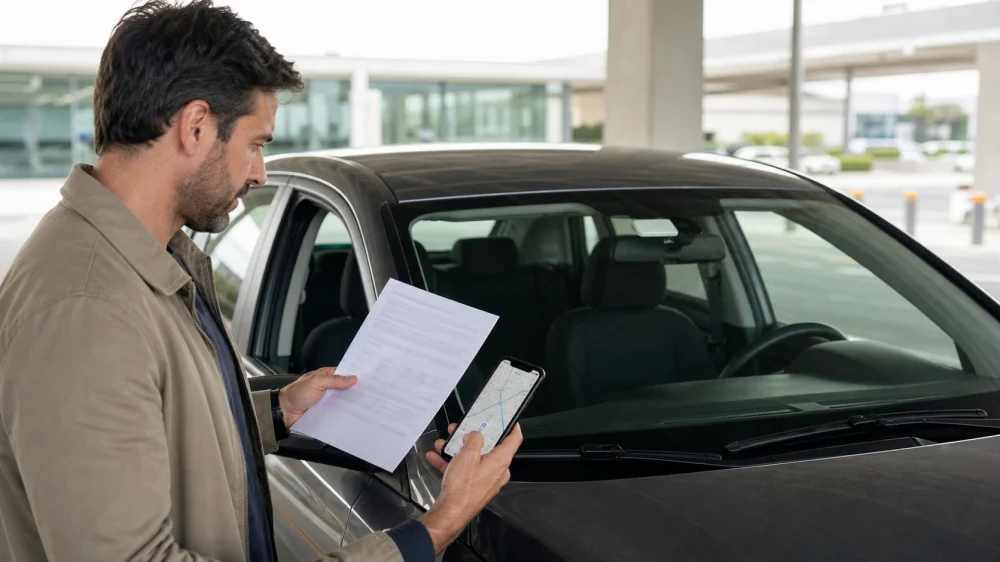
Rental Car Toll Plan: Compare Transponder Fees and Routes
On this page
Quick answer
Before reserving, map the toll roads, bridges, tunnels, and express lanes on the expected route. Ask the rental company for its current toll-program terms in writing: toll rate, activation, daily or per-use service fees, rental-period maximums, covered regions, opt-in or opt-out method, and billing delay. Confirm whether a personal transponder is permitted and how the rental plate must be registered. Save the agreement, route, receipts, and final bill.
This guide supports U.S. rental planning. Toll agencies, interoperability, rental providers, vehicle devices, lanes, discounts, and fees change. Verify the current rental agreement and official toll-agency instructions for every state or facility you will use.

Map toll exposure first
A rental-car toll plan matches the roads you expect to drive with one approved payment method and a clear record of both tolls and rental-company fees. The least expensive choice depends on the route, number of toll days, provider plan, and whether cash or direct payment is available.
List likely highways, bridges, tunnels, airport approaches, managed lanes, and optional express lanes. Check each facility on its official toll-agency website for payment types, vehicle classification, cashless operation, account requirements, deadlines, and rental-car instructions.
Do not rely only on a map’s “avoid tolls” setting. Routes can change, a toll-free option may be unavailable, and a managed lane can sit beside a free lane. Review signs while driving and never stop or reverse in a toll lane.

Compare rental toll programs
The FTC’s current rental-car consumer guidance notes that automatic toll convenience can include different fee structures: a fee for each rental day, a one-time rental-period fee, or a fee each time the device is used, in addition to tolls.
Ask these questions before accepting or declining:
- Does a fee start when the rental begins, when the device is used, or when a toll is recorded?
- Are non-toll driving days charged?
- Is there a maximum service fee for the rental period?
- Does the plan include tolls, or are tolls added separately?
- Which states, roads, and lanes are covered?
- What happens if the built-in device is open, closed, missing, or unreadable?
- How long after return can tolls and fees appear?
- Where can you download an itemized statement?
Compare total expected cost, not only the advertised rental rate or transponder fee.
Check a personal transponder carefully
Do not assume a personal pass can move to a rental. Ask both the issuing toll agency and rental provider whether the device, account, vehicle class, rental plate, state, and travel dates are supported.
If permitted, add the exact plate, state, start time, and end time through the official account method. Confirm whether the rental’s built-in transponder must be closed, shielded, or left untouched. Two active devices or plate billing can create duplicate or conflicting charges.
Remove the rental plate from the personal account promptly after return and keep confirmation. Check whether a plate can be reassigned to another renter; an open-ended registration can create later billing problems.
Confirm the vehicle at pickup
- Match the plate. Record the rental vehicle plate and state privately.
- Locate the toll device. Ask staff to identify any built-in transponder and demonstrate its documented status while parked.
- Photograph the state. Capture the device position without recording unrelated private data.
- Match the contract. Confirm the accepted or declined toll option appears correctly.
- Save the support channel. Keep the rental toll-program phone number or site from official paperwork.
- Set navigation carefully. Choose toll preferences while parked and still verify road signs.
Do not reach for, cover, or adjust a windshield device while driving. Stop safely first and follow the provider instructions.
Track tolls and review billing
Keep a simple log of date, approximate time, road or bridge, lane, direction, and payment method. Save official app or account receipts, rental documents, and the return receipt.
Review the final rental bill and later toll statement for dates outside the rental, duplicate facilities, service fees that do not match the terms, and a vehicle or plate mismatch. Contact the rental toll administrator through a known channel and provide copies rather than originals.
Unexpected toll-payment texts can be scams. The FTC’s toll text scam warning advises against clicking unexpected links and recommends contacting the toll agency through a phone number or website you know is genuine.
Toll-plan checklist
- Expected toll roads and managed lanes mapped
- Official agency payment options and deadlines checked
- Rental toll rate and every service fee obtained in writing
- Activation trigger, coverage, maximum, and billing delay understood
- Personal transponder permission verified with both parties
- Rental plate registration window limited to the trip
- Built-in device status and contract option documented
- Toll log, receipts, agreement, and return record saved
- Unexpected messages verified through official channels
Limitations and important notes
- No one toll pass or rental program works on every U.S. facility.
- Cashless roads may not allow payment at the point of travel.
- Express-lane eligibility, occupancy, and transponder settings vary; read current official rules.
- Do not tape, remove, or alter a rental transponder unless the provider directs it.
- Never stop, reverse, or change lanes unsafely to avoid a toll.
Frequently asked questions
Will I pay a service fee only on days I use toll roads?
Not always. Fee triggers differ. Read the current provider terms for daily, per-use, and rental-period charges.
Can I use my own toll transponder?
Only after both the issuing agency and rental provider confirm compatibility, plate registration, device handling, and route coverage.
Can I avoid all tolls with navigation settings?
No setting guarantees that. Review the route and current road signs, and keep an approved payment plan for unexpected changes.
Why did a toll charge appear after return?
Plate and transponder records can take time to reach the rental billing system. Compare the date and location with your rental period and saved log.
What should I do with an unpaid-toll text?
Do not click the link. Contact the named toll agency or rental company through a verified official site or number and compare the claim with your records.
Sources and evidence notes
This article uses current FTC guidance on rental-car toll fee structures and unexpected toll-text scams. Route planning, personal transponder registration, device documentation, and bill review are general administrative practices. Exact rates, deadlines, and compatibility must come from the current rental agreement and official toll agency.
Next steps
Map the likely route and list each official toll agency. Get the rental company’s toll terms before booking, then compare the total expected program cost with an approved personal-account option. At pickup, document the plate, device state, and contract choice while parked. After return, remove the plate from any personal account and review later statements.





 National Car Rental3.0 (8 reviews)
 Hertz Car Rental - Atlanta - Lenox Road Ne2.0 (73 reviews)
 Mercedes Sprinter Van Rental4.0 (13 reviews)
 Hackett Lu Holdings, LLC - HLH Car Rental0.0 (0 reviews)
 NextCar4.0 (322 reviews)
 Oscar Car Rental Sun Prairie4.0 (10 reviews)
 Why SUVs Are the Most Popular Rental Choice in the U.S.
 Car Rental Requirements for Foreign Drivers in the US
 The Impact of Delivery & Pick-Up Services on Your Rental Car Price | LifeStar Car Rental
 How to Choose an EV Rental Car for U.S. Trips: Key Considerations for a Smooth Journey
 Best Rental Cars for Exploring the Florida Keys
 How to Choose Between Economy, Compact, and Mid-Size Car Rentals: Size and Fuel Insights