

Rental Car Damage Check: Document It Before You Drive
Before leaving the rental location, compare the vehicle with its condition report, photograph every side in good light, note existing damage, and obtain written acknowledgment of anything missing. Also check tires, glass, lights, mirrors, fuel or charge, mileage, warning indicators, and essential controls. Do not repair, hide, or diagnose a problem yourself. If the vehicle appears unsafe, keep it parked and ask the rental company for instructions or a replacement.
In this guide
Read the Record First
Confirm the vehicle identifier, plate, mileage, fuel or battery level, pickup time, and marked damage. Ask what symbols mean and how the company wants new observations submitted. A verbal “we know about it” is harder to prove than an updated form, app entry, email, or signed note.
Review prohibited uses, roadside contacts, accident steps, and return requirements. Coverage depends on the contract, insurance, card benefits, jurisdiction, and facts; do not assume that a waiver covers every event.

MML Transportation
SpringfieldFairfax CountyVirginia
7307 Highland St suite b, Springfield, VA 22150, USA
Take Useful Photos and Video
Photograph the full front, rear, both sides, and diagonal corners, then closer views of scratches, dents, chips, wheel damage, stains, or missing items. Include context so a close-up can be located on the vehicle. Capture the dashboard mileage and fuel or charge display.
Use timestamped originals when available and avoid filters. A slow walk-around video can supplement photos but should not replace sharp still images. Keep files and upload confirmations until final charges are resolved.
Lighting matters. Move only with staff permission to a brighter inspection space when shadows, rain, snow, or a dark garage hides the surface. Wipe no area aggressively and do not alter the condition for a clearer picture. If weather makes a complete check impossible, record the weather and request written instructions for reporting damage discovered soon after departure. Photograph rental accessories in place, but avoid capturing faces, unrelated vehicles, personal documents, or other customers' license plates. Back up the files before a long trip so a lost or damaged phone does not erase the pickup record.

Walk Around the Exterior
Check bumpers, panels, doors, roof edges you can see safely, mirrors, lamps, windshield, windows, wheels, and tires. Look underneath only from a normal standing position; never crawl under a rental vehicle. Note loose trim, cracked glass, severe tire damage, or fluid beneath the car.
Do not use a scratch remover, inflate a questionable tire, or replace a part without authorization. Ask staff to inspect anything that may affect safety.
Check the Interior
Photograph seats, carpets, cargo area, dashboard, and any existing stain, tear, odor concern, or warning message. Verify that required accessories, charging cables, cargo covers, child seats, or toll devices listed in the agreement are present.
Remove no prior renter data beyond ordinary supported controls, and do not connect your phone until you understand how to delete it later. Report abandoned property rather than handling it unnecessarily.
Test Essential Controls
While parked, adjust the seat and mirrors and identify lights, signals, wipers, defoggers, hazard lights, parking brake, gear selector, and charging or fuel-door release. Confirm no critical warning remains illuminated after normal startup. Use the manual or ask staff when a control is unfamiliar.
If visibility, restraints, tires, brakes, steering, lights, or warning indicators raise a safety concern, do not drive. The rental company should direct inspection, assistance, or exchange.
Report Differences Before Leaving
Show unlisted damage to an employee or submit it through the approved channel before crossing the exit. Ask for confirmation that identifies the vehicle and observation. If the lot is unattended, call the official number and follow the after-hours procedure.
Do not let a line behind you rush the review. If light or weather prevents documentation, request a better inspection area or note the limitation in writing.
Respond to Problems on the Road
Stop in a safe place when a warning, vibration, visibility problem, collision, or new damage occurs. Contact emergency services for danger or injury, then follow the rental company's accident and roadside process. Do not authorize repairs or towing unless the agreement or company directs it.
Record location, time, conditions, contacts, and photographs when safe. Exchange legally required information without admitting fault or speculating about cause.
Repeat the Record at Return
Photograph the same angles, dashboard, fuel or charge, parking space, and key-return method. Obtain a receipt showing return time and condition when possible. For after-hours return, preserve the app or drop-box instructions and confirmation.
- Vehicle and agreement identifiers match
- Existing damage recorded and acknowledged
- Exterior, interior, dashboard, and accessories photographed
- Essential controls and warnings checked while parked
- Unsafe concerns reported before driving
- Original files and confirmations retained
- Return condition and receipt documented
Frequently Asked Questions
Is video enough?
Use both clear photos and video when practical. Still images often show detail better, while video shows overall continuity.
What if staff refuse to mark a scratch?
Use the company's approved digital channel, ask for a manager, and preserve your submission. If material uncertainty remains, request another vehicle.
Should I photograph the roof?
Photograph what you can see safely from the ground. Do not climb on the vehicle or nearby objects.
Can I drive with a warning light?
Do not guess. Keep the vehicle parked in a safe place and contact the rental company for direction; urgent hazards may require roadside or emergency help.
How long should I keep records?
Keep them through final billing, deposits, claims, and dispute periods, considering contract and card-issuer requirements.
A five-minute condition check creates a shared baseline and may reveal a safety concern before travel begins. Company procedures and legal duties vary, so follow the agreement and official instructions, and never let documentation delay emergency help.

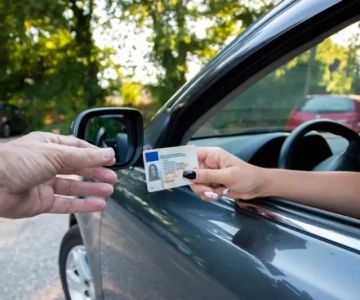




 Enterprise Rent-A-Car4.0 (303 reviews)
 NextCar3.0 (109 reviews)
 Avis Car Rental3.0 (63 reviews)
 Enterprise Rent-A-Car4.0 (519 reviews)
 Ride Proximity Rent-A-Car (Tesla, Vanderhall, Slingshot, BMW, MINI)5.0 (30 reviews)
 Blue 8 car rental0.0 (0 reviews)
 Understanding Hidden Car Rental Fees: How to Spot and Avoid Unexpected Charges Before They Hit Your Wallet
 Last-Minute Car Rental Deals: How to Save Money When Booking Today
 Rental Car Return Receipt: Check Time, Fuel, and Charges
 How to Use Coupon Codes, Referral Deals & Promo Rates When Renting a Car
 How to Read Your Car Rental Receipt and Spot Hidden Fees
 Why Customer Reviews Matter More Than Price When Choosing a Rental Car