
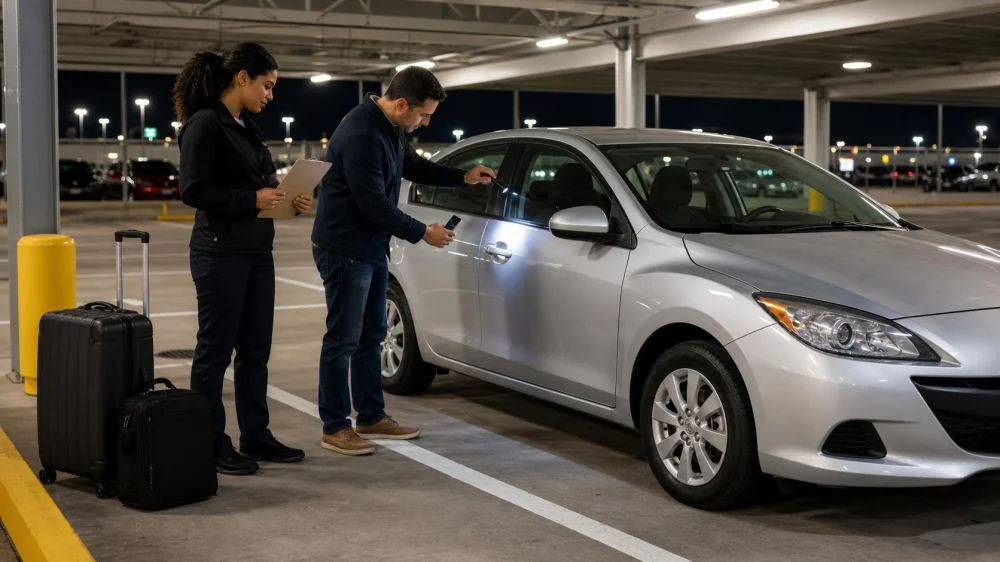
Rental Car Pickup After Dark: A Visibility Checklist
On this page
Quick answer
When collecting a rental car after dark, do not rely on a quick walkaround in a dim row. Ask to inspect the vehicle under safe lighting, compare its condition with the rental record, photograph visible damage, test required lights and controls while parked, and report discrepancies before leaving. If the location is unsafe or defects cannot be assessed, request another space, vehicle, or documented inspection process.
A night rental-car inspection is a pre-drive condition and control check adapted for limited visibility. It is not a mechanical certification; its purpose is to identify observable damage, missing items, unsafe conditions, and documentation gaps before the renter accepts the road.
CareConnect Transport -Non Emergency Medical Transport
LakewoodLos Angeles CountyCalifornia
4067 Hardwick St #150, Lakewood, CA 90712, USA
Prepare before arriving
Late pickups can involve reduced staffing, closed counters, remote keys, unfamiliar garages, or time pressure. Reduce surprises before travel day.
- Confirm the pickup address, counter hours, after-hours process, parking level, and shuttle schedule.
- Ask how existing damage is recorded and how to report a new finding when the desk is closed.
- Charge the phone, free camera storage, and save the provider’s verified contact details and reservation number.
- Bring a small flashlight for inspection, but never shine it toward drivers or use it while operating the car.
- Have the driver’s license, payment method, and required reservation documents accessible without displaying them in the lot.
- Plan a safe route out of the facility and a nearby well-lit place to stop if the provider authorizes a second inspection.
Do not let luggage block access to the vehicle or create a trip hazard during the walkaround. Keep companions, especially children, out of traffic lanes while one authorized driver completes the check.
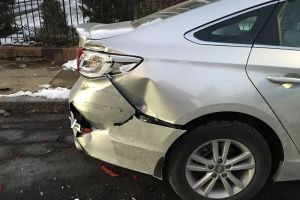
Complete a safe lighted inspection
- Verify the assigned vehicle. Match the space and identifying information on the rental record without posting the license plate or vehicle identification details publicly.
- Assess the surroundings. Stay alert to moving vehicles, blind corners, poor footing, exhaust, and garage ramps. Do not kneel or step into an active lane.
- Move only when authorized and safe. If the assigned space is too dark, ask staff whether they can relocate the car or supervise an inspection under better lighting.
- Walk around at a consistent distance. Look at each panel, bumper corner, mirror, glass area, wheel, and accessible roof edge without touching traffic-side surfaces unnecessarily.
- Change the light angle. Scratches and dents may appear only when light crosses the panel. Use the flashlight from the side, not pressed against paint or glass.
- Check tires visually. Look for an obviously low tire, major sidewall damage, exposed material, or a visibly damaged wheel. Do not crawl under the car.
- Inspect glass and mirrors. Note cracks, chips, mirror damage, and anything that blocks the driver’s view.
- Look inside before loading. Check seats, cargo area, floor, controls, odor, warning messages, and visible cleanliness or damage.
- Test exterior lights with help when possible. While parked, use a companion or reflective surface to confirm headlights, brake lights, turn signals, and hazard lights according to the vehicle instructions.
- Compare equipment with the agreement. Confirm requested items and provider-listed equipment are present and secured.
Do not wipe, polish, or press on suspected damage before documenting it. A dirt mark may be harmless, but rubbing a cracked surface or loose trim can make its condition worse.
Document condition and report concerns
Create clear evidence without blocking the lot. Start with broad photos of each side, then take closer images that show a concern in context. Use the phone’s normal camera rather than filters, and include enough surrounding panel to locate the mark.
Record:
- The date and pickup time.
- General vehicle condition and the dashboard mileage and fuel or charge level.
- Existing scratches, dents, chips, stains, odor, missing items, or warning messages.
- The space or lighting limitation when it affected inspection.
- Who received the report, the approved channel used, and any case or confirmation number.
Use the rental company’s official app, counter, email, phone, or other documented channel. Do not rely only on a spoken comment to a shuttle driver or an unverified text number. Keep original files and confirmation through the rental and billing review period.
If staff say a mark is “already noted,” ask where it appears on the condition record or request written acknowledgment. Avoid uploading full documents, keys, license plates, or location details to public social media.
Set up the vehicle before moving
Night conditions make unfamiliar controls harder to find. While fully parked, adjust the seat, steering position, head restraint, mirrors, and seat belt. Identify the headlight control, wipers, defogger, hazard switch, parking brake, gear selector, and fuel-door release.
Check that the instrument panel shows the expected headlight status and no unresolved critical warning. Set navigation and audio before moving, connect a phone only if the rental privacy policy and driver’s needs support it, and keep screen brightness from interfering with night vision.
Clean only safe, accessible interior glass using an approved method if haze blocks visibility. Do not drive with fogged glass, dirty mirrors, or a windshield obstruction. Ask staff to correct the issue when proper cleaning supplies or defogging are unavailable.
Exit the facility slowly and leave extra space while learning pedal response, steering, and sight lines. If a new noise, warning, light failure, or visibility problem appears, stop in a safe authorized location and contact the provider.
When not to drive away
Request assistance or another vehicle when you find:
- An obviously low or damaged tire, loose wheel-area component, or serious fluid leak.
- A cracked windshield in the driver’s view, broken mirror, or visibility-blocking damage.
- Headlights, brake lights, turn signals, or wipers that do not operate as required.
- A critical warning message, overheating sign, smoke, fuel odor, electrical-burning odor, or unusual heat.
- A seat belt, seat, door, latch, or control that does not work normally.
- Damage not reflected in the condition record that the provider will not document.
- A pickup area where inspection or entry cannot be completed without entering unsafe traffic.
In an immediate fire, medical, or traffic emergency, move away from danger and contact emergency services. For non-emergency defects, follow the rental provider’s roadside or exchange instructions; do not authorize repairs independently unless the agreement or provider directs you to do so.
Limitations and important notes
- A renter’s visual check cannot establish mechanical safety or find every hidden or pre-existing defect.
- Rental agreements, condition-report processes, after-hours procedures, insurance terms, and roadside authorizations vary by provider and location.
- Do not drive solely to improve inspection lighting if a defect makes the vehicle unsafe to move.
- Photos support a record but do not replace timely notice through the company’s required channel.
- Keep keys, documents, devices, and luggage secure while focusing on the inspection.
Sources and evidence notes
The checklist reflects common rental handoff and night-driving safety practice: verify the vehicle, inspect under useful light, document observable condition, confirm essential controls, and report discrepancies before travel. The rental agreement and provider’s current operating process control the actual acceptance and reporting steps.
Useful records include the reservation, agreement, time-stamped original photos, condition report, fuel or charge and mileage images, staff messages, case numbers, and the provider’s roadside instructions. Preserve them privately rather than posting vehicle identifiers online.
Frequently asked questions
What if the rental counter is closed?
Use the verified after-hours reporting method provided with the reservation or agreement. Document the condition and your attempt to contact the company. If safety is uncertain, do not drive merely because no employee is at the desk.
Should I use phone flash for every photo?
Use the lighting that shows the condition accurately. Flash can create glare on paint and glass, so take additional images from different angles when needed. Never stand in traffic to improve a photo.
Can I inspect the roof in a garage?
Look from ground level without climbing on the car, a barrier, or luggage. Ask staff for help when roof condition matters and cannot be viewed safely.
What if the car is dirty and I cannot see scratches?
Document the dirt and limited visibility, report it before leaving, and ask how the provider wants the condition handled. Do not wash the vehicle without authorization just to search for damage.
Do I need a video as well as photos?
Follow the provider’s documentation process. A slow video can show general condition, while clear still photos usually show individual marks better. Neither replaces a timely report.
Next steps
Before your next late pickup, save the after-hours contact method and bring a charged phone and small flashlight. At the vehicle, inspect under useful light, photograph condition and levels, report discrepancies through an official channel, and identify night-driving controls while parked. Do not leave until safety, documentation, and visibility concerns are resolved.


 High and Son Autos llc0.0 (0 reviews)
 Enterprise Rent-A-Car4.0 (181 reviews)
 Hertz Car Rental - Mesa - Rapid Collision Center Hle3.0 (114 reviews)
 Enterprise Rent-A-Car4.0 (203 reviews)
 Avis Car Rental3.0 (61 reviews)
 Budget Car Rental3.0 (233 reviews)
 Tips for Picking Up a Rental Car in Bad Weather and Avoiding Extra Risks
 Best Rental Cars for Exploring the South Dakota Badlands
 Renting a Car for a Cross-Country Road Trip
 Rental Car Collision Checklist: Safety, Reports, Photos, and Claims
 Why Some Cars Are Restricted From Interstate Travel in the U.S.
 Car Rental Insurance Explained: What You Really Need and What to Skip